

GATHER to collect structured data from users through natural conversation. Instead of rigid form-filling, it lets the agent extract field values from user input in natural language — a user saying “I want to fly to Paris on March 10 for two people” can fill three fields at once. Fields can be validated, corrected, and inferred from context without restarting the flow.
You can configure GATHER using the Gather Fields section in Studio or by editing the GATHER block directly in the ABL Editor.
Before You Begin
- You must have an agent created in your project. See Create Agents.
- To use inference and LLM-based validation, an LLM provider must be configured under Admin > Models.
Configure Gather Fields
In Studio
Navigate to your agent and select Gather Fields from the Capabilities group in the agent editor sidebar.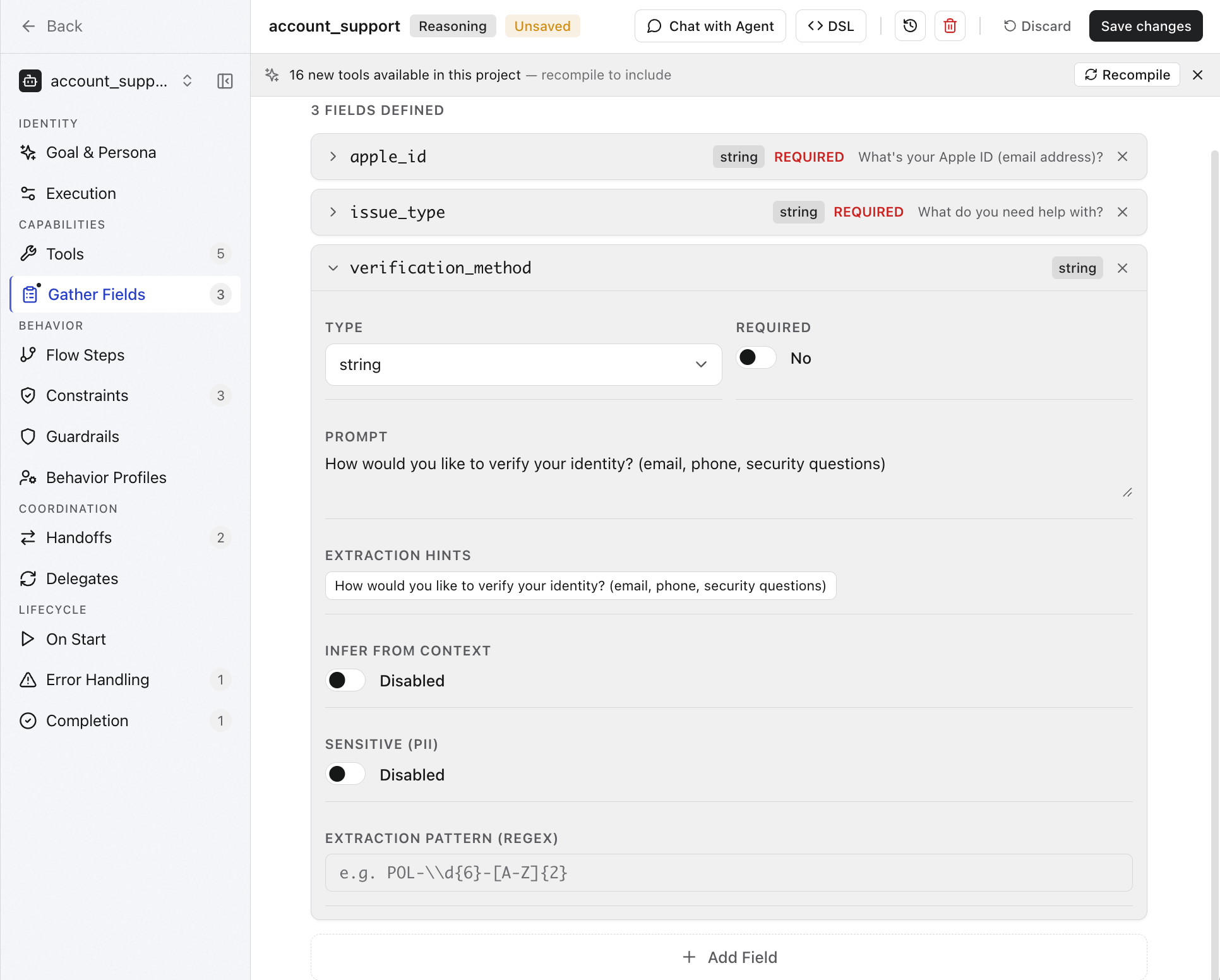
Click Save changes after configuring fields.
In the ABL Editor
DefineGATHER at the agent level for fields the LLM collects through natural conversation, or inside a flow step for deterministic collection.
Agent-level GATHER:
GATHER uses a named field syntax. Flow step GATHER uses a compact list syntax. COMPLETE_WHEN defines when the step has enough data to advance.
Field properties
Field Types
Collection Strategies
The collection strategy controls how the agent extracts field values from user input.Field Validation
Add validation to enforce data formats, value ranges, and business rules before the agent proceeds.Validate With an Expression
validate expression is evaluated at runtime. If it fails, the agent re-prompts the user.
Set the Validation Process
Customize Retry Behavior
retry_prompt replaces the default re-prompt message when validation fails. max_retries caps how many times the agent asks before moving on or escalating.
Validate enum Values
enum() restricts accepted values to a defined set. Combined with infer: true, the LLM maps natural language input to the valid enum values.
Validate Across Fields
Validation expressions can reference other gathered fields for cross-field validation.Validate with CONSTRAINTS
For business rules that go beyond field format, useCONSTRAINTS alongside GATHER.
Validate Payment Fields in a Flow Step
LLM Inference
LLM inference lets the agent fill field values from conversational context without asking the user explicitly.Enable Inference on a Field
infer: true, if the user already said “I do not need the order anymore,” the agent fills cancellation_reason without prompting again.
Control Inference Confidence
When
infer_confirm: true, the agent confirms with the user before accepting — for example, “It sounds like you want to travel to Paris. Is that correct?”
Add Extraction Hints
Extraction hints guide the LLM on how to map natural language input into structured values.Silent Extraction Without Prompting
Useprompt_mode: extract_only when the prompt is an instruction to the LLM, not a question for the user. The agent silently extracts the value from context.
Activate Fields Conditionally
Usedepends_on and activation to collect a field only when another field meets a condition.
return_date is only collected when trip_type is round_trip. If the user says “I need a round trip to London, leaving March 10 and returning March 17,” both fields are inferred from a single message.
Use activation: progressive to activate a field only after its dependencies are met, letting the conversation unfold naturally.
High-confidence Inference without Confirmation
Setinfer_confirm: false for fields where the inferred value is obvious from context — for example, detecting language from how the user writes.
infer_confidence threshold to avoid silent mismatches when skipping confirmation.
Optional Fields and Defaults
Optional fields are collected only if the user provides them. Default values are used when the user skips the field.Collecting Ranges and Lists
By default, GATHER collects a single scalar value per field. Use range or list to collect structured multi-value input instead.Collect a Range
Setrange: true to collect a {low, high} pair — useful for price ranges, age brackets, date windows, and similar bounded inputs.
{low: number, high: number}.
Collect a List
Setlist: true to collect multiple values of the same type as an array — useful for item selections, amenity preferences, or multiple destinations.
["val1", "val2", "val3"].
Handling Sensitive Fields
For PII and sensitive fields, use thesensitive property along with sensitive_display property to suggest how to show the sensitive fields.
For full details on display modes and masking configuration, see Handling transient and sensitive fields.
Present Collected Values
UsePRESENT to show collected values back to the user as each field is filled.
Handling Corrections to Fields within a Flow
Enable corrections so users can change previously provided values without restarting the flow. This property is set at the flow level and not at the field level.Enable Corrections on a Flow Step
CORRECTIONS: true, the user can say “actually, change the destination to London” at any point during collection, and the agent clears and re-collects that field.
Use SUB_INTENTS for Targeted Corrections
SUB_INTENTS define scoped intents valid only within a step. if a field is cleared by a sub intent, the agent re-collects it.
Use ON_INPUT for Deterministic Correction Branching
Handle Corrections at the Review Step with DIGRESSIONS
DIGRESSIONS allow jumping to any step in the flow from a review or confirmation step. Unlike SUB_INTENTS, digressions leave the current step entirely.
Handle Exhausted Retries
MAX_ATTEMPTS on the step limits total retries. ON_EXHAUSTED defines the fallback step when the limit is reached.
MAX_ATTEMPTS counts entries to the step, not individual field retries.
max_retries on a field counts field-level retries separately.Apply Global Digressions Across All Flow Steps
Global digressions are available in every step.RESUME: true returns to the current step after handling the digression.
RESUME, the GOTO target becomes the new active step.