

Sections
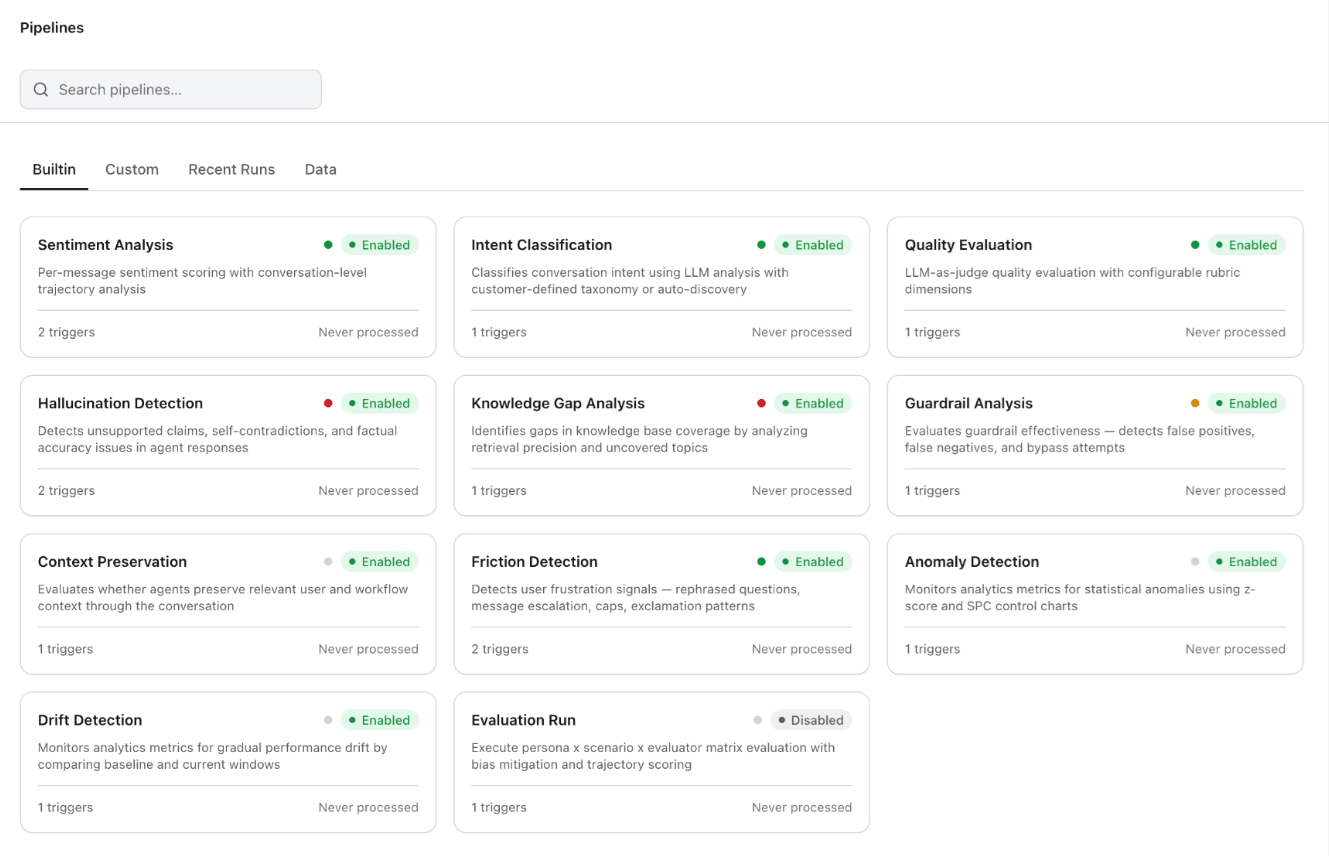
Built-in Pipelines
The platform ships with eleven pre-built pipelines covering evaluation, classification, detection, and monitoring needs. Enable each pipeline with a single toggle — no configuration required for the defaults.Custom Pipelines
Custom pipelines let you define your own analytics logic using a visual, drag-and-drop node-based editor. Use custom pipelines to build organization-specific evaluation criteria that go beyond the built-in set — for example, regulatory compliance checks, brand voice adherence, or domain-specific accuracy scoring.How the Editor Works
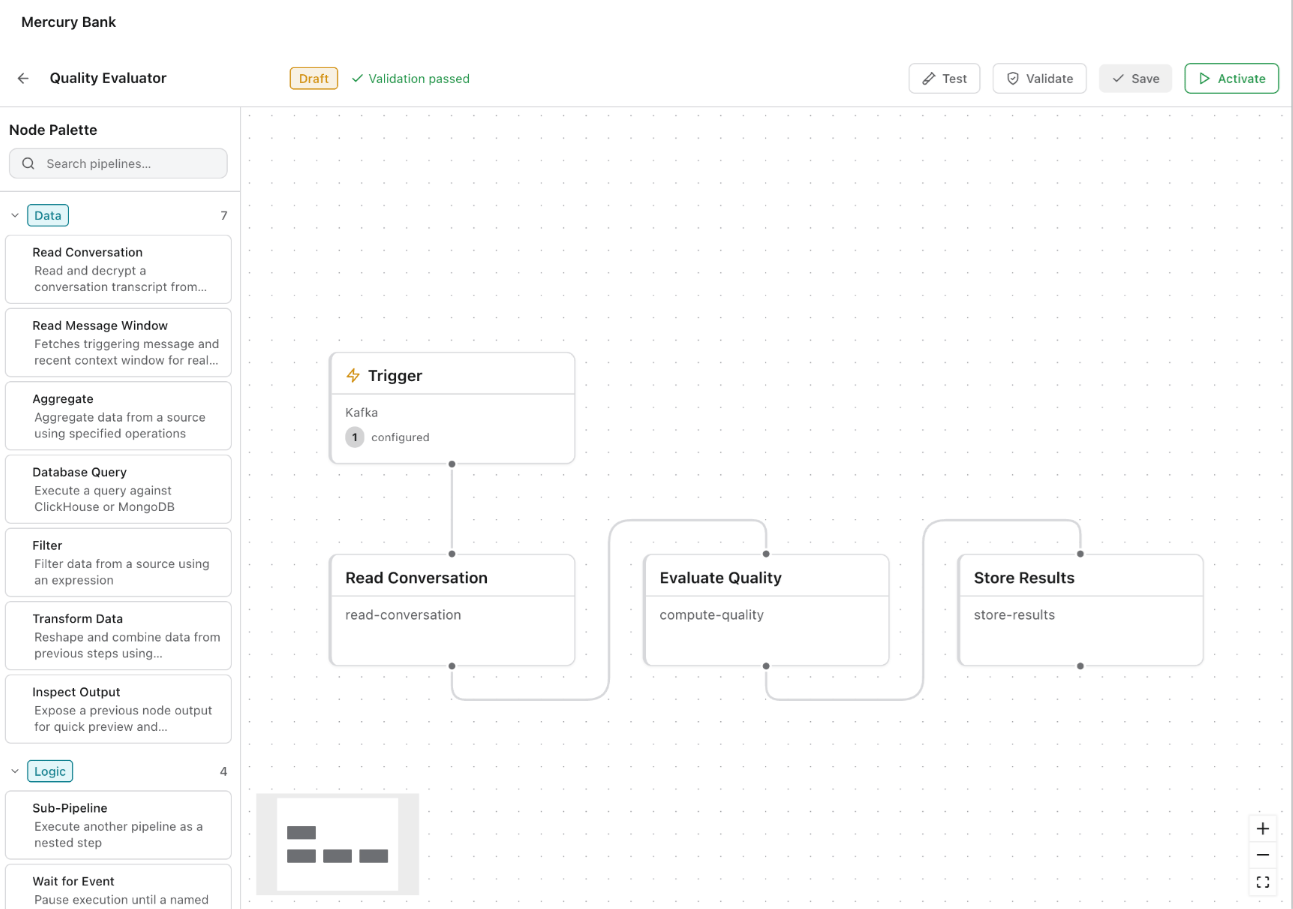
The editor presents a visual canvas where you construct a pipeline as a directed graph of connected nodes. A Node Palette on the left side provides draggable node types organized into categories:
The core pattern: define a trigger, connect one or more processing nodes, then wire the output to a storage or metrics node.
Pipeline Structure
Pipeline Lifecycle
Pipelines follow a Draft → Validate → Test → Activate lifecycle. The editor toolbar shows the current state (Draft badge, “Validation passed” indicator) and provides buttons for Test, Validate, Save, and Activate. You can iterate on draft pipelines without disrupting live ones, save drafts as you go, validate to catch configuration errors before deployment, and run test executions to verify output before activating.Sub-Pipelines
You can reference one pipeline as a step inside another, enabling reuse and composability. For example, a “Compliance Evaluation” pipeline could call both the built-in “Guardrail Analysis” and a custom “Regulatory Wording Check” as sub-steps.Attaching to Dashboards
Once a custom pipeline produces data, its metrics appear alongside built-in metrics in Agent Performance, Quality Monitor, and Customer Insights, giving teams a single pane of glass across both standard and organization-specific evaluation.Start with the built-in pipelines to establish baselines, then create custom pipelines for organization-specific quality dimensions. The validate-before-activate workflow catches configuration errors before pipelines go live.