

View the Conversations Dashboard
- Click Analytics on the left navigation pane. The Analytics panel displays the list of reports.
- Click Conversations Dashboard under the Overview section of the Analytics panel. The Conversations Dashboard appears on the right side of the page.
- Select the appropriate filters and click Apply.
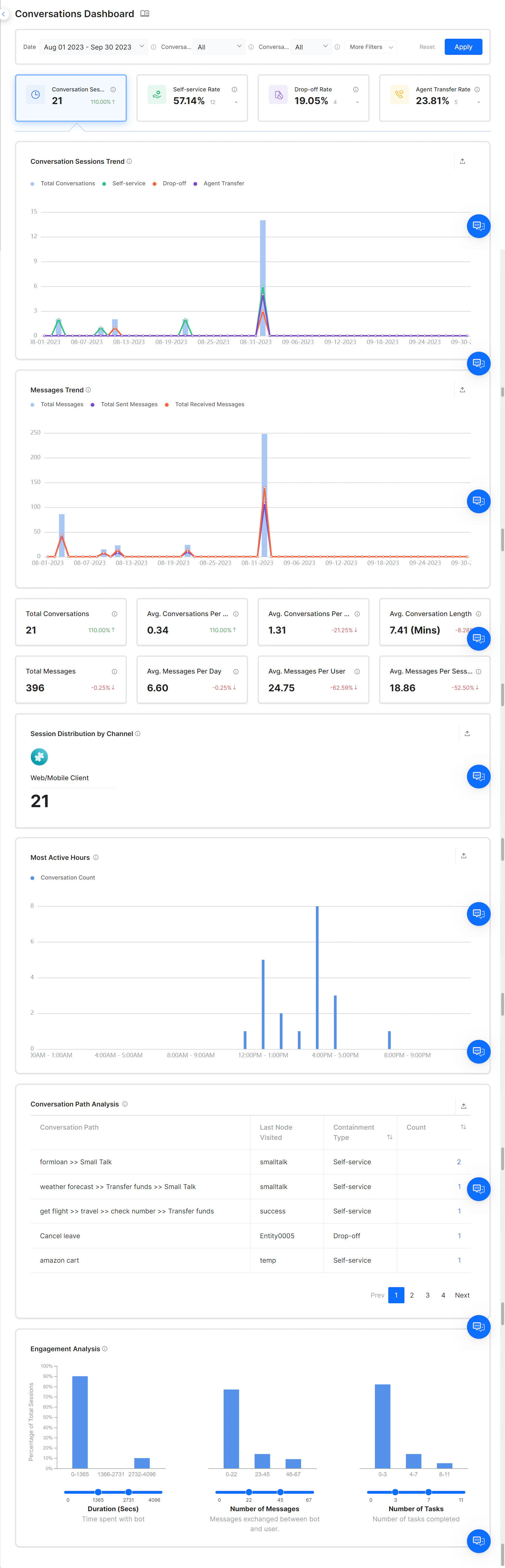
Conversation Sessions
Conversation Sessions display the total number of conversations between the AI Agent and a user in a specific time period. A session starts when a user sends a message and ends when the user indicates the problem is solved, abandons the chat, or reaches an agent transfer node.Self-service Rate
Self-service sessions are conversations that the AI Agent successfully contains. The Self-service Rate widget displays the percentage and total number of self-service conversations, along with the percentage increase or decrease compared to the previous period. If a dialog task reaches the End Of Dialog node, the task is considered complete and categorized as self-service. If an AI Agent is configured with a Welcome event or On-Connect event, and the AI Agent sends multiple messages without any user interaction, the platform counts this as a contained session and increases the self-service count.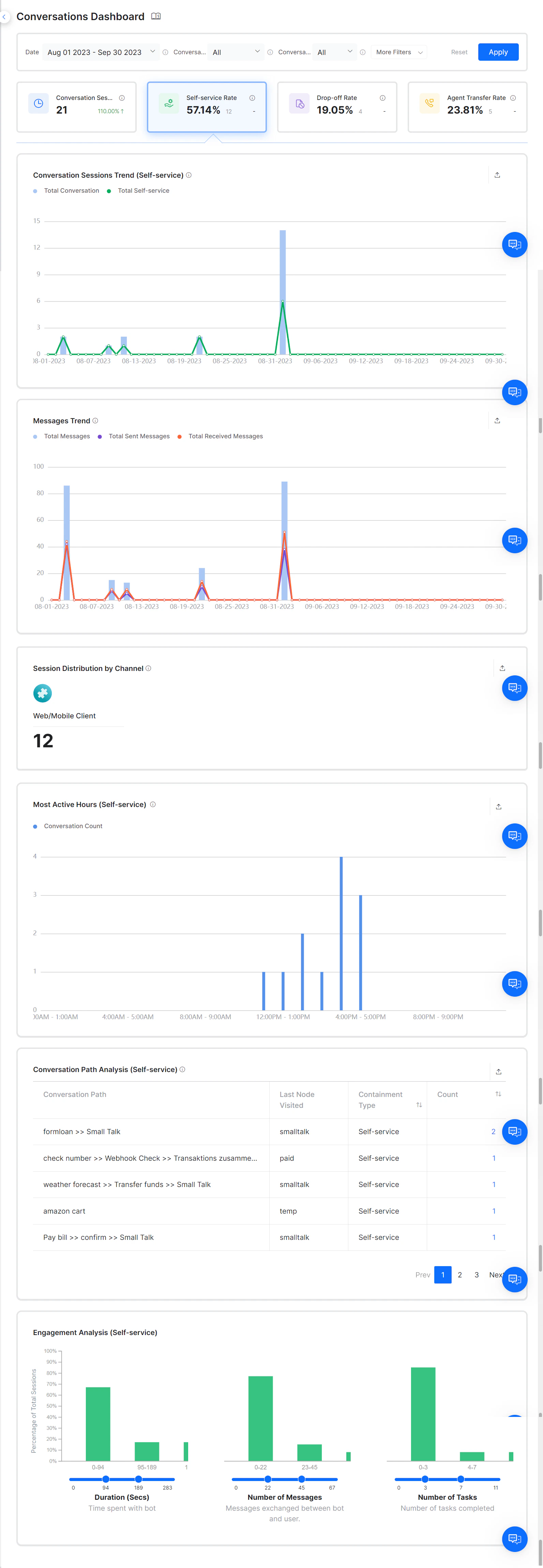
Drop-off Rate
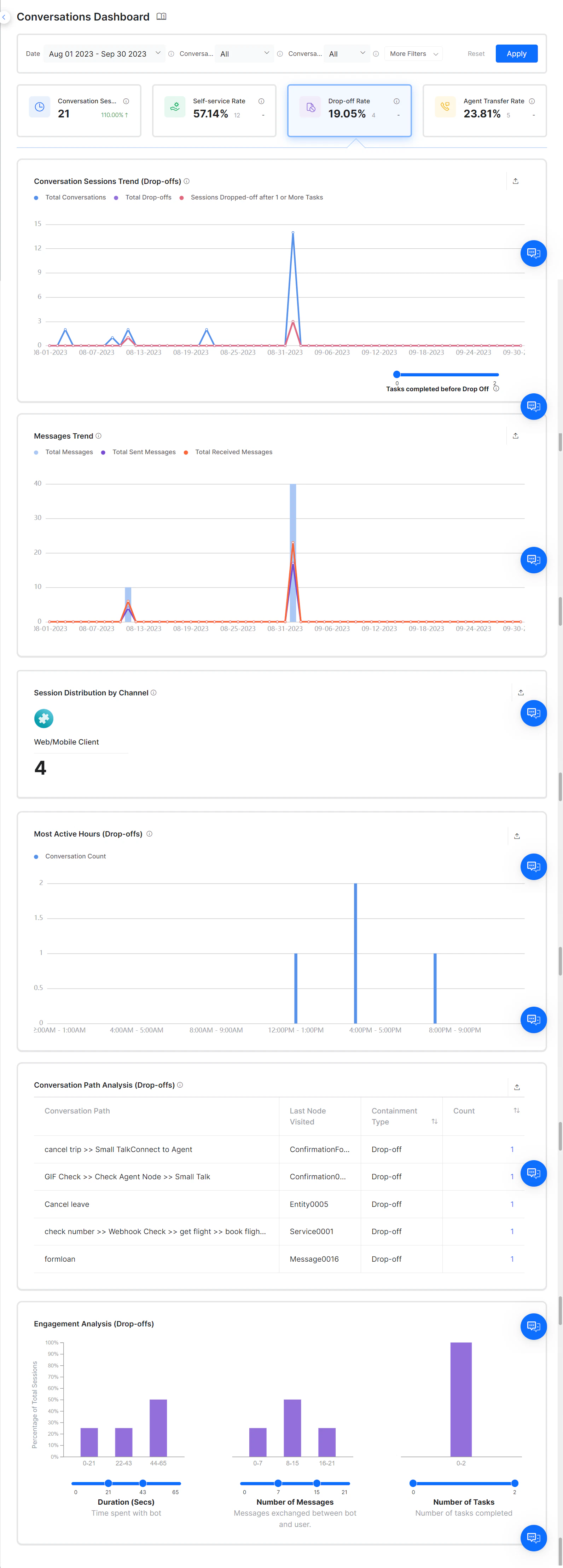
A drop-off is a conversation where the user abandons the session without completing a task. Drop-offs occur in the following scenarios:- A user left the conversation midway without completing any task.
- The task ended as a failure.
- The last interaction resulted in an “intent not identified” scenario.
- No response from the AI Agent.
- The user abandoned the AI Agent during a live conversation.
Agent Transfer Rate
When users can’t complete tasks using the AI Agent, the session is handed over to a human agent. When the dialog reaches the agent transfer node, the platform classifies the session as an Agent Transfer session. The Agent Transfer Rate widget displays the percentage and total number of agent transfers within the selected period, along with the percentage increase or decrease from the previous period.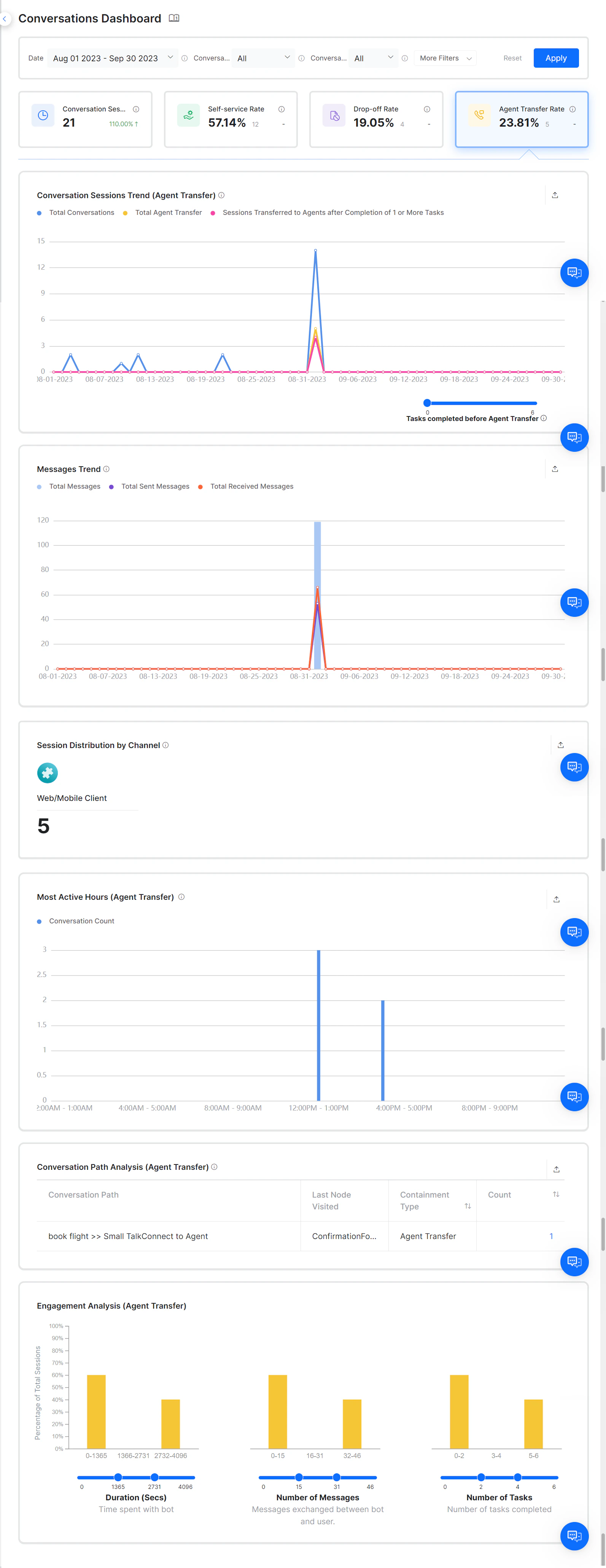
Unblu and IVR channels don’t require an Agent Transfer node to transfer conversations to agents.
Metrics Table
For trend line charts, if the period is 24 hours, the X-axis shows hourly intervals. Otherwise, it shows daily intervals. The Y-axis shows the total number of sessions.